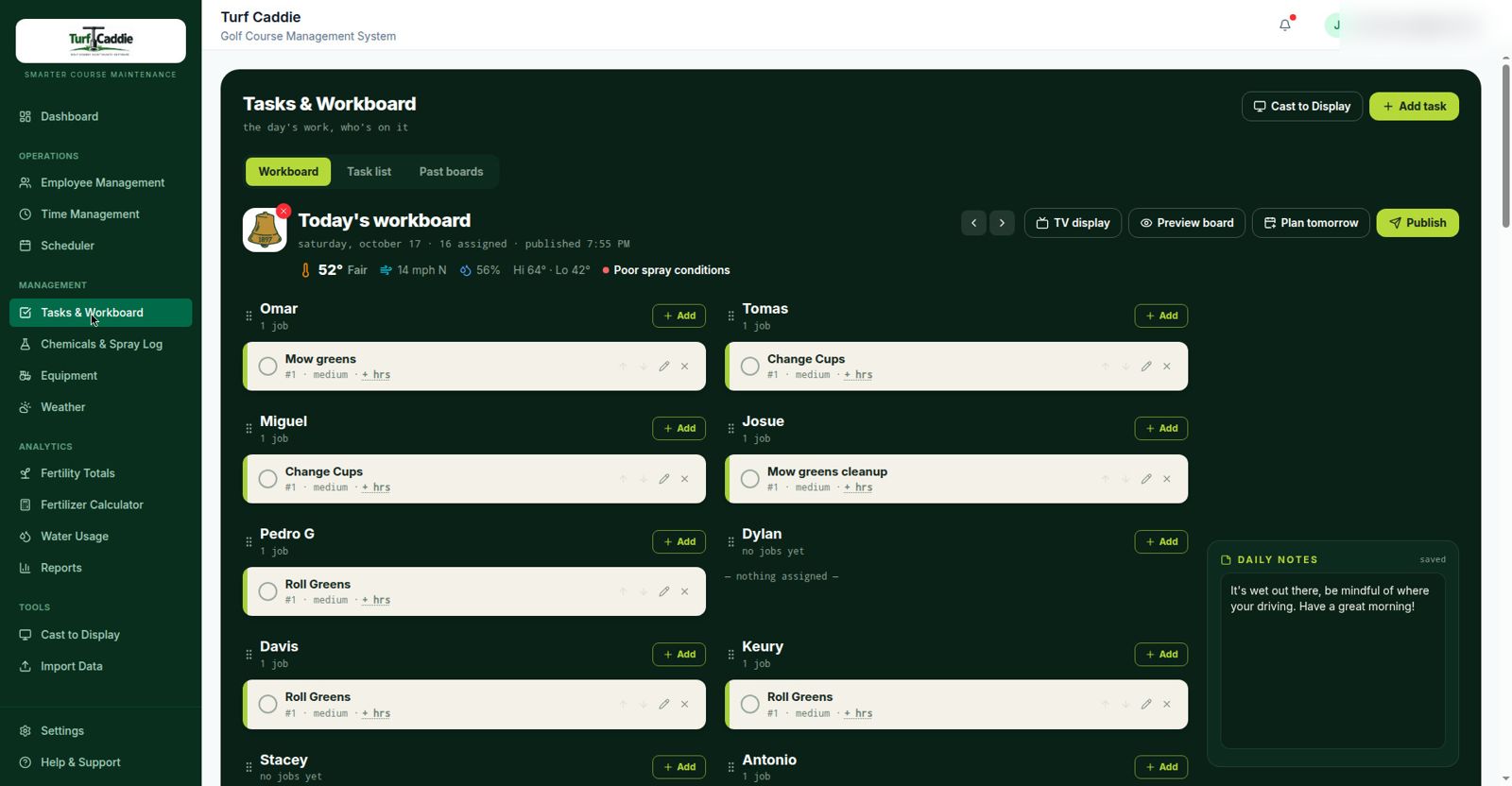
The shop whiteboard works, until someone erases it. TurfCaddie puts the morning's assignments on the shop TV and every crew member's phone, and keeps yesterday's board forever.
A real morning board from the course TurfCaddie was built on: 16 assigned, published, and already on the shop TV.
Every shop runs the same ritual, and loses the same information, every single night.
Who mowed what, who sprayed, how long it took, wiped clean by tomorrow's assignments. When the GM asks what the crew did last Tuesday, the honest answer is a shrug.
Somebody rebuilds the board every morning, often from a spreadsheet somebody else typed from a notebook. Three copies of the same information, three chances to get it wrong.
The board only exists on one wall. A change at 9 AM (rain delay, a no-show, a broken mower) means phone tag with a crew spread across 150 acres.
Built around the way a maintenance shop actually starts its day.
Assign tasks from your phone or desktop: recurring templates for the daily routes, one-offs for project work. Set expected hours and start times once; adjust in seconds when the day changes.
The board casts to the shop TV, big and readable from across the room. Change an assignment from anywhere and every screen updates. No rewriting, no second trip to the shop.
Each person sees their own list on their phone: jobs in order, notes, and simple statuses. Big tap targets, readable in sunlight, made for gloved hands and seasonal crews.
When the day ends, the board doesn't get erased. It gets filed. Past boards show who did what, when, and how long it took, feeding straight into labor cost by task.
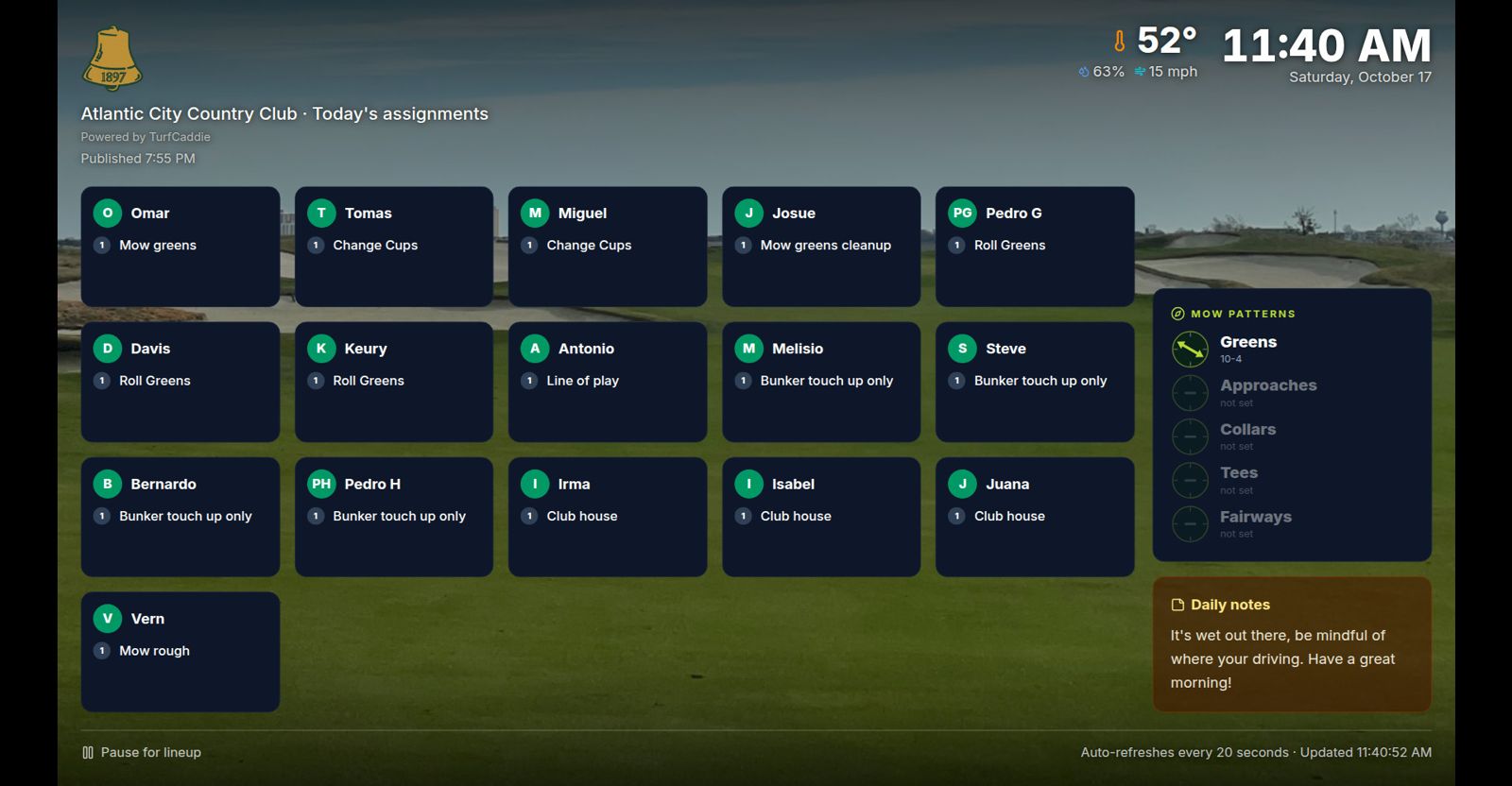
The shop TV is where the crew lines up. TurfCaddie's display is built for that wall: today's assignments, big type, your course as the backdrop, readable from the door.
Move a job in the office and the shop TV shows it in seconds. The board the crew reads is never yesterday's printout.
Every board carries its publish time, on the editor and on the TV. The crew can see the lineup is current, and so can you.
The day's notes and mow patterns sit on the same screen as the assignments. One place to look, nothing taped to the wall.
The whiteboard's only real advantage is that it's already on the wall. On everything a superintendent gets asked about (history, labor, proof), it loses.
| Whiteboard | TurfCaddie | |
|---|---|---|
| History | Gone every night | Every board kept, searchable |
| Updates | Walk to the shop, rewrite | From any phone, instantly, everywhere |
| Labor proof | Memory and guesswork | Hours and cost by task, exportable |
| Crew view | One wall, one shop | Shop TV + personal "My Day" on phones |
| Rain-day reshuffle | Erase and start over | Drag, reassign, done |
Labor is the biggest line in the maintenance budget, often more than half of it. The workboard is where the answer comes from.
Assignments carry expected and actual hours, so you can show what greens, bunkers, or a special project really cost, with records, not estimates.
Turn a season of boards into a clean labor picture for the GM, greens chair, or board. The "prove it" conversation, answered in minutes.
Weekly scheduling for full crews and lean weekend rotations, with start times set per day, built for how shops actually staff.
The workboard is one part of TurfCaddie. spray records, equipment, weather & GDD, and water tracking are in the same system, on the same bill.
Start a 30-day pilot and put the board on your shop TV. White-glove setup is done with you: crew, roles, templates, and the TV display configured, not left to a manual.
Apply for the Pilot